




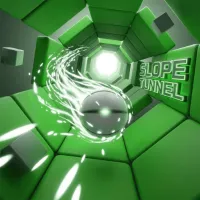

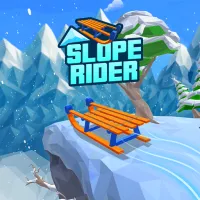

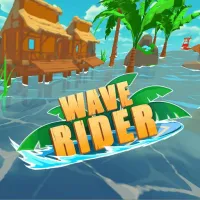



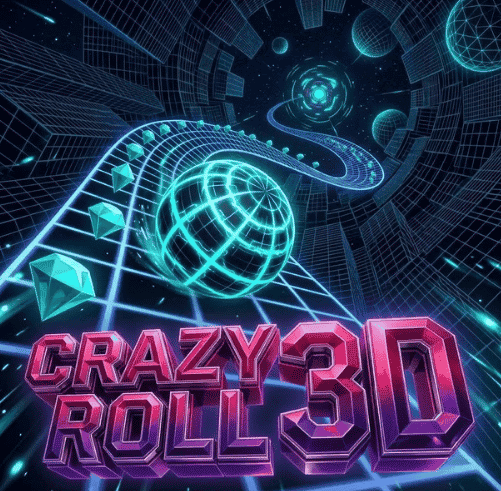
Crazy Roll 3D is a great 3D revision of the classic ball-rolling game genre. After getting a lot of ideas from Slope, this game has a lot of new and exciting features, such as floating neon ramps, a power-up system, a ball upgrade shop, winding ramp landscapes, and most of all, a very fun two-player mode.
Keep your eyes and skills sharp to play this brand-new, unblocked version of Crazy Roll 3D that is already a big hit.
Overview of Crazy Roll 3D
Crazy Roll 3D is a 3D endless runner game where you have to avoid many difficult obstacles while rolling a ball. In the game, players control a fast ball that is hurtling down a set of sloping, airborne lines that can twist and turn.
The main goal is to stay away from all red objects, collect all the scattered crystals, use your support skills at the right time, and keep your rolling distance as long as possible.
New and exciting features that make Crazy Roll 3D so appealing
Compared to classic ball-rolling games like Slope 2 and Wave Rider, it has more depth in the gameplay thanks to important improvements:
- 2-Player Mode (Split-Screen): Two players can compete to see who can stay alive on the same computer screen.
- Race Mode: You can choose a challenging terrain by collecting diamonds. When you have 500 diamonds, you can unlock the Forest terrain, and when you have 1000 diamonds, you can open the Neon City terrain.
- System of Power-ups: Using shortcuts, you can pick up power-ups along the way and use them:
- Shield: This shield stops the ball from hitting anything before it does.
- Magnet: All the diamonds around the ball are automatically drawn to it.
- 2x Crystals: During the effect's length, twice as many crystals are collected.
- Upgrade Shop and Unique Ball Collection: Collect gems to make power-ups last longer and get access to dozens of new ball models that come in different sizes, colors, and speeds.
- Wavy Terrain & Dynamic Obstacles: This adds platforms that wobble and barriers that move horizontally, making it slightly like Sphere Rush in that you have to be very good at judging how fast things are moving.
How to Play Crazy Roll 3D and Take Charge of the Rolling Ball
The buttons in Crazy Roll 3D are made to work with mobile devices, single players, and groups of two. In the Settings menu, players can change the intensity as they please:
How to Use the PC (Single Player):
- To swipe left or right, press the A or D keys or the left or right arrow keys.
- Press the Q (Shield), W (Magnet), or E (Duplicate Diamond) keys to use power-up items.
To control your phone or tablet, swipe left or right, or change the tap mode in Settings.
Getting Started with Crazy Roll 3D
New players need to learn how to control the ball as it rolls down thousands of meters of steep slopes without letting it fall into the abyss:
- In Crazy Roll 3D, the object is to guide the ball along 3D slanted platforms while avoiding all red obstacles and moving traps. You also need to collect as many gems as you can and make it the farthest to buy upgrade items and unlock new terrains.
Rules for Survival and Speeding Up
- Natural speeding up of the ball: Moving the ball slowly at first, it will speed up as you roll down steep hills and jump off of platforms. When going faster, you have to look farther ahead to see where the ball will go 1-2 seconds before it hits it.
- Use power-ups wisely and don't waste your buttons! Save your Shield (Key 1) for later levels, where there are so many moving obstacles that it's hard to avoid them by hand.
- Change the sensitivity in the Settings menu. If you think the ball is moving too quickly or too slowly, go to Settings and change the sensitivity slider to match the sensitivity of your mouse or keyboard.
How to Set Score Records in Crazy Roll 3D
- The "Magnet + 2x Diamond" combo: When you roll into a place with a lot of diamonds, press keys 2 and 3 at the same time. This combination will quickly double your account balance and collect all the diamonds on its own.
- When you land from a ramp jump, change the direction of the ball so that it is centered on the platform below before it hits the ground. This will keep the ball from bouncing off the edge of the cliff.
- Pay attention to the sloping platforms in two-player mode: In the two-player challenge mode, there will be more sections of road that go up and down hills to make the action more exciting. Do not throw the ball around when the platform tilts quickly. Instead, keep it in the middle of the lane.
Get ready to use the ball to beat the sounds and tricky hurdles in Crazy Roll 3D!
Crazy Roll 3D is the ultimate reflex challenge you and your friends can't miss. It has bright 3D graphics, loud electronic music, a power-up system, and a very exciting two-player game. The speed ball is ready, and the grid ramp is open. How far do you think you can roll the ball to get to the top of the leaderboard?